
AI Image Text Editor
Edit text in images with AI — plus retouching, object replacement/removal, style transfer, watermark removal, ID photos, and more.
Prompt: “Change 50% to 70%”
Drag and drop an image here or
JPG, PNG, JPEG, WEBP, BMP, PDF


How to Edit Text in Image with AI?
1. Upload Image
Select an image to upload and enter the AI image text editor.
2. Edit with AI
Tell the AI what to change — “replace $99 with $79”, “remove the watermark” — and it edits the image for you.
To edit text in the image with AI, you can also just click the words and type: font, size and background stay matched.
3. Save Image
After editing, click the download button in the top right corner to save your edited image.
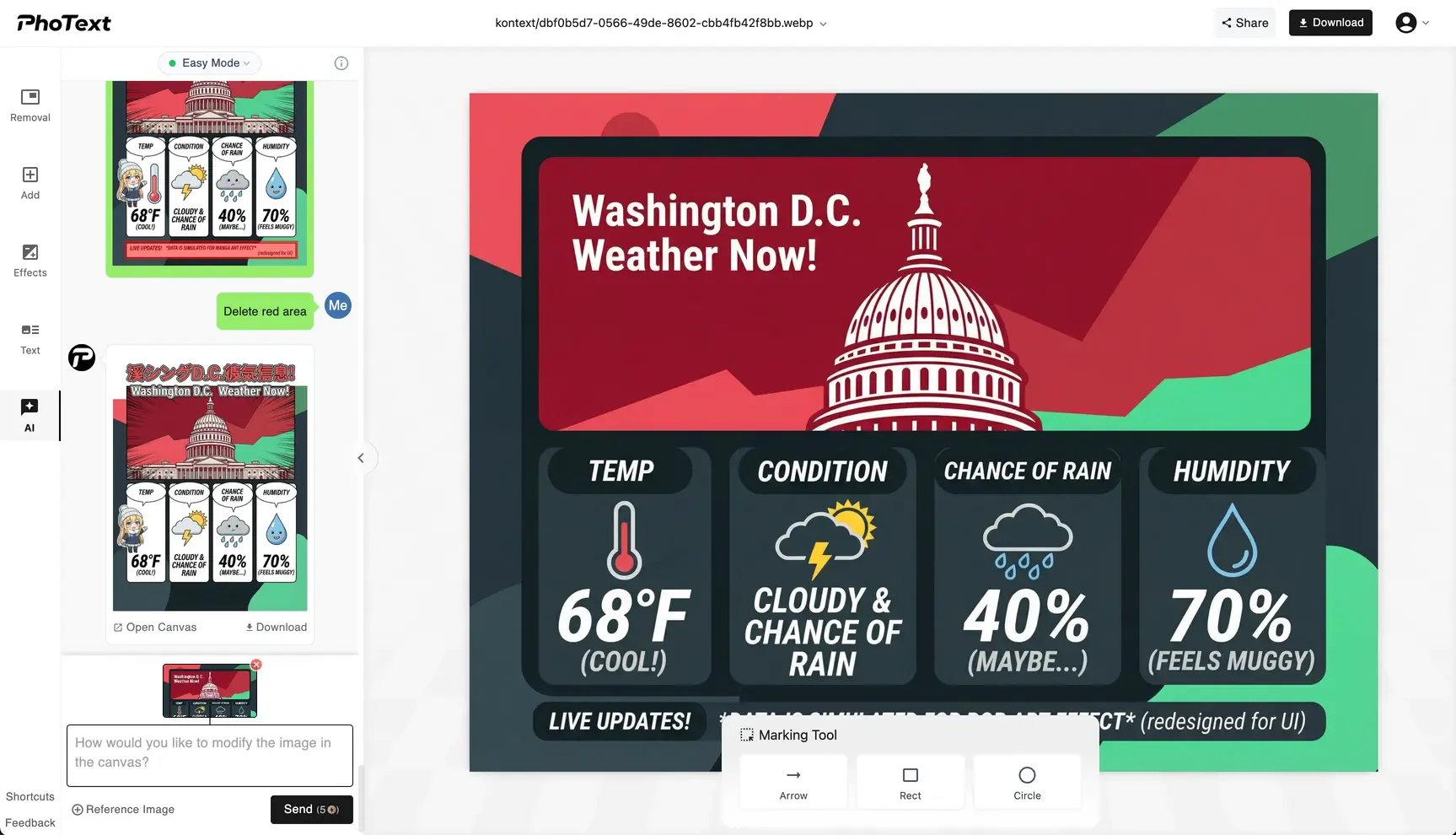
AI Text Editing in Images
Edit text in images with AI like editing a document — click the words or just describe the change, with fonts and background matched automatically.
Smart AI Editing
Expand image boundaries or modify local content based on prompts, infinite creativity.
Privacy First
Our servers retain images for 30 days for logged-in users and 1 day for non-logged-in users; overdue items are permanently deleted.
Works on Web and Mobile
You can access our site via your mobile phone anywhere & anytime.
AI Image Editing Demo
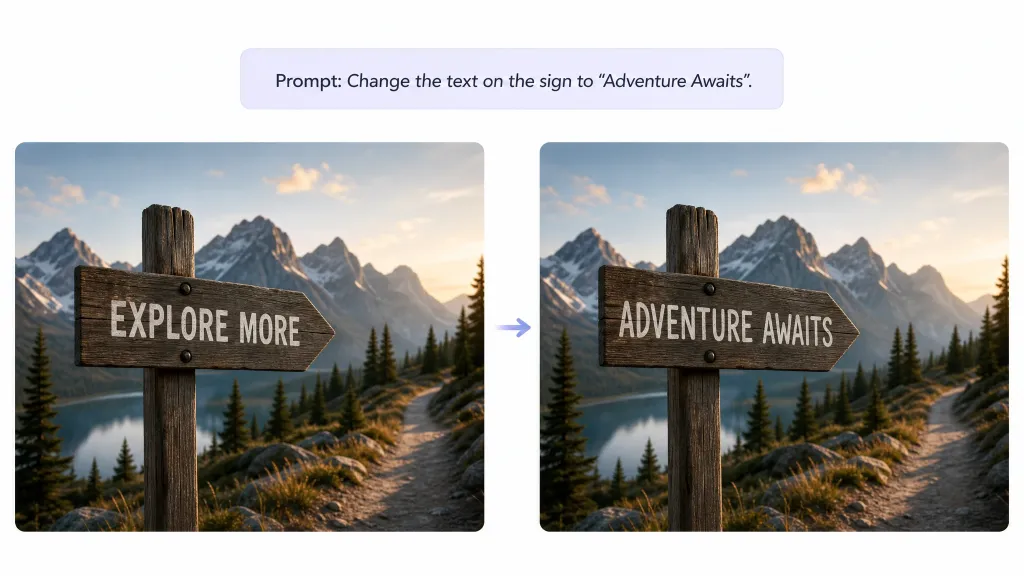
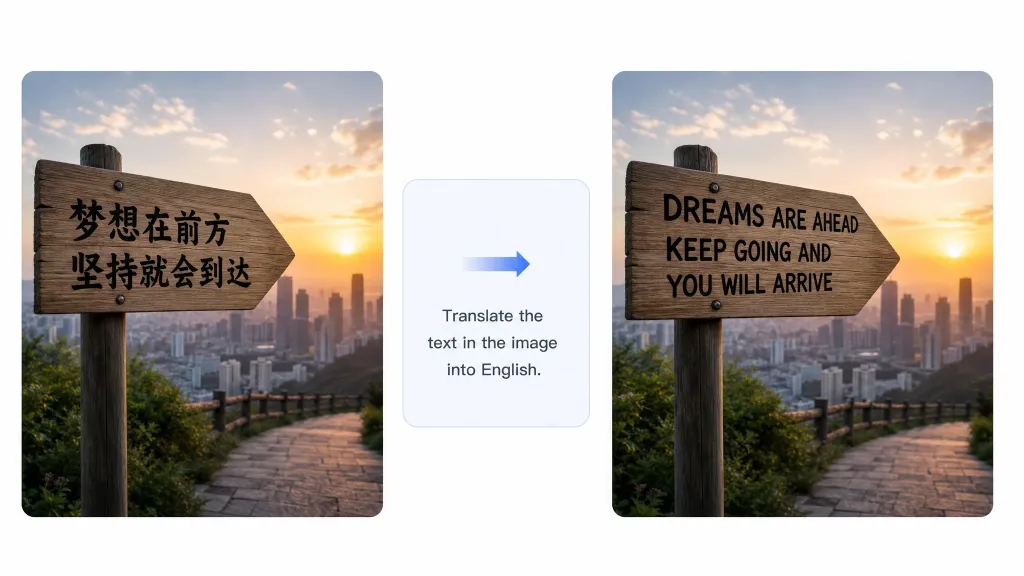
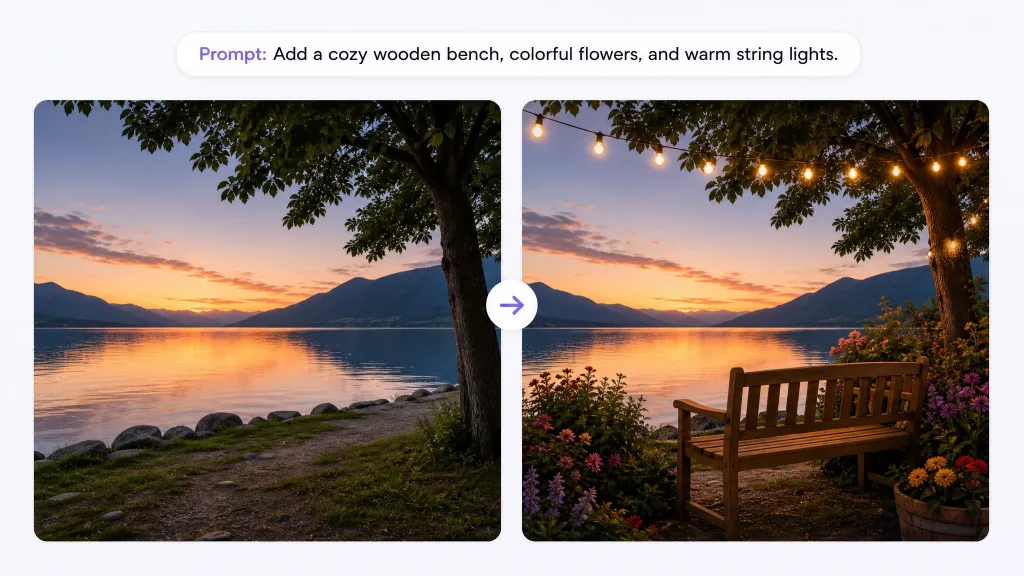
Text Editing
Replace text in signs, posters, labels, and screenshots while keeping the original font style.
Image Translation
Translate all text in an image into English and other languages while keeping the original layout.
Remove / Add Elements
Remove watermarks, passersby, or objects; add new elements to the image.
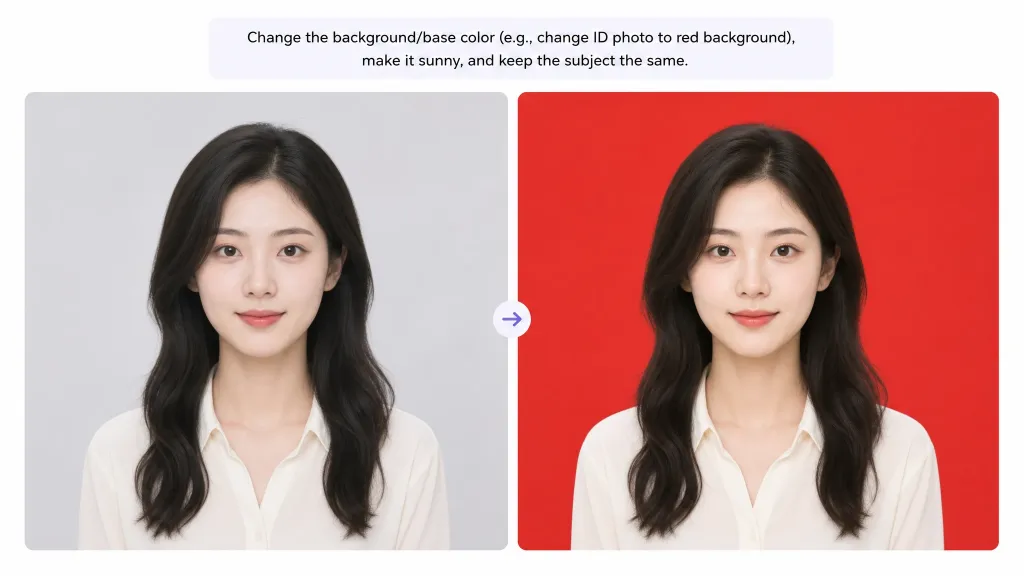
Background & Colors
Swap backgrounds or change colors (e.g. ID photo with red background) while preserving subjects.
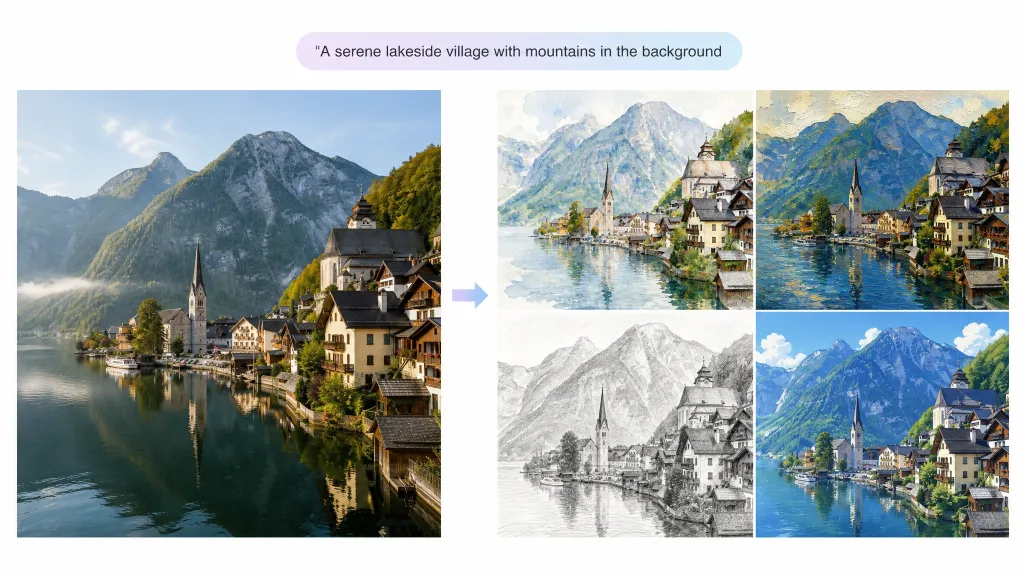
Style Transfer
Convert photos to art styles like watercolor, oil painting, sketch, and anime.
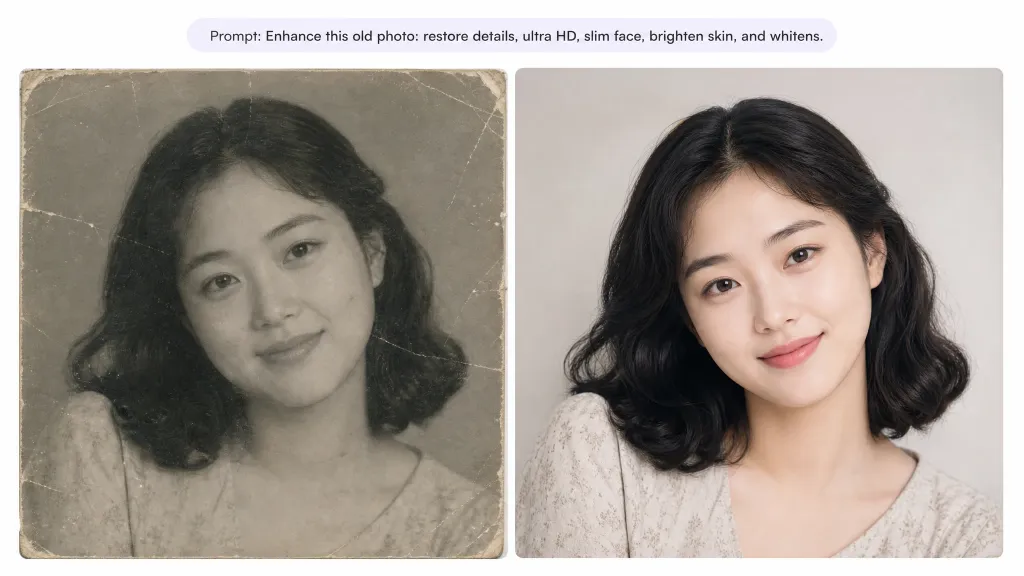
Photo Enhancement
Restore old photos, upscale to high resolution, and retouch portraits.
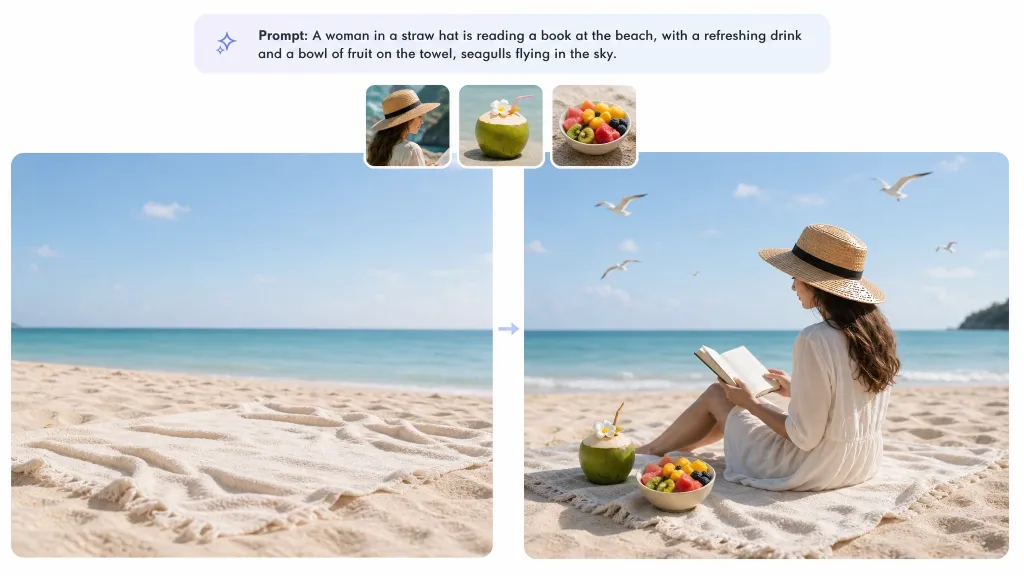
Reference Image Compositing
Add up to 3 reference images to blend people, products, or styles into your image.